Comparison
FluoTest vs SurveyMonkey: Free Alternative for Lead Qualification
SurveyMonkey and FluoTest are both used to gather information from respondents, but they solve different problems. SurveyMonkey is a general-purpose survey platform that costs $468–$1,188/year for advanced features. FluoTest is built specifically for score-based lead qualification and is free forever.
What is SurveyMonkey?
SurveyMonkey is one of the oldest and most widely used survey platforms, founded in 1999. It is designed for market research, employee feedback, customer satisfaction surveys, and academic research. Teams at large companies use it to run NPS surveys, employee engagement studies, and product feedback polls.
SurveyMonkey offers question branching, data export, basic reporting, and integrations with tools like Salesforce and HubSpot. It is built for research and data collection — not lead qualification.
What is FluoTest?
FluoTest is a lead qualification quiz builder. You create a quiz, assign point values to each answer, and set up different results depending on the score. High-scoring leads can be sent to a calendar booking link. Medium-scoring leads can be asked for their email. Low-scoring leads can be shown a content page.
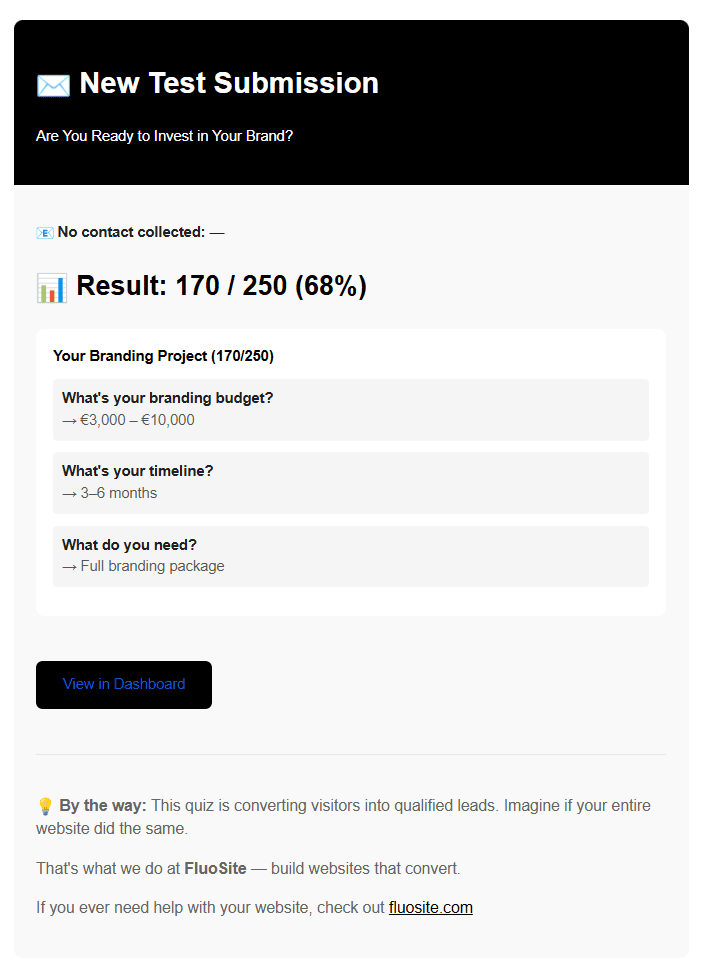
Every time someone completes your quiz, you get an email notification with their score and full answer breakdown. FluoTest is free with no tiers and no trial.
Try it: fluotest.com
Pricing Comparison: SurveyMonkey vs FluoTest
SurveyMonkey
- Basic: Free (10 questions, 25 responses/survey)
- Advantage: $39/month ($468/year)
- Premier: $75/month ($900/year)
- Team plans: $25+/user/month
Free tier is severely limited. Score-based branching requires paid plans.
FluoTest
- Free forever
- No response limits
- No quiz limits
- No credit card required
SurveyMonkey's response limits and paywalled features push most businesses to paid plans quickly. Read more about our pricing philosophy.
Feature Comparison: What You Actually Get
| Feature | SurveyMonkey | FluoTest |
|---|---|---|
| Score-based results | Paid only | ✓ Built-in |
| Conditional results per score tier | Limited | ✓ Full support |
| Calendar booking by score | ✗ | ✓ |
| Email collection by score | Paid only | ✓ Free |
| Email notifications on submission | Paid plans | ✓ Free |
| Unlimited responses | ✗ (25 free) | ✓ Free |
| Analytics dashboard | ✓ | ✓ |
| Price | From $39/month | ✓ Free |
SurveyMonkey limits free accounts to 25 responses per survey. FluoTest has no response limits.
How People Use FluoTest
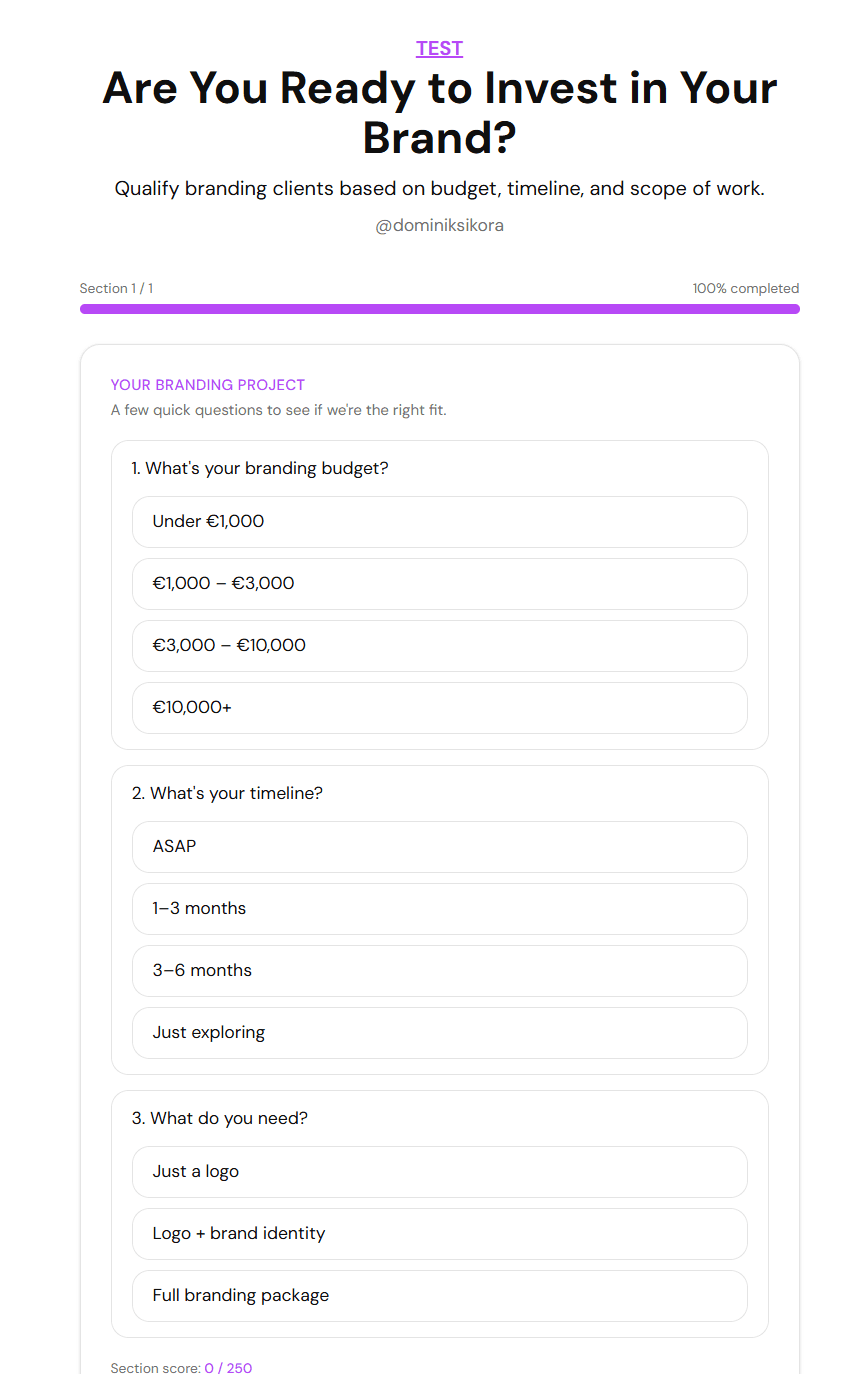
A freelance consultant uses FluoTest to qualify clients before discovery calls. The quiz runs 8 questions about budget, timeline, and project scope. High-scoring leads get a calendar booking link. Low-scoring leads get redirected to a resource page. No manual filtering needed.
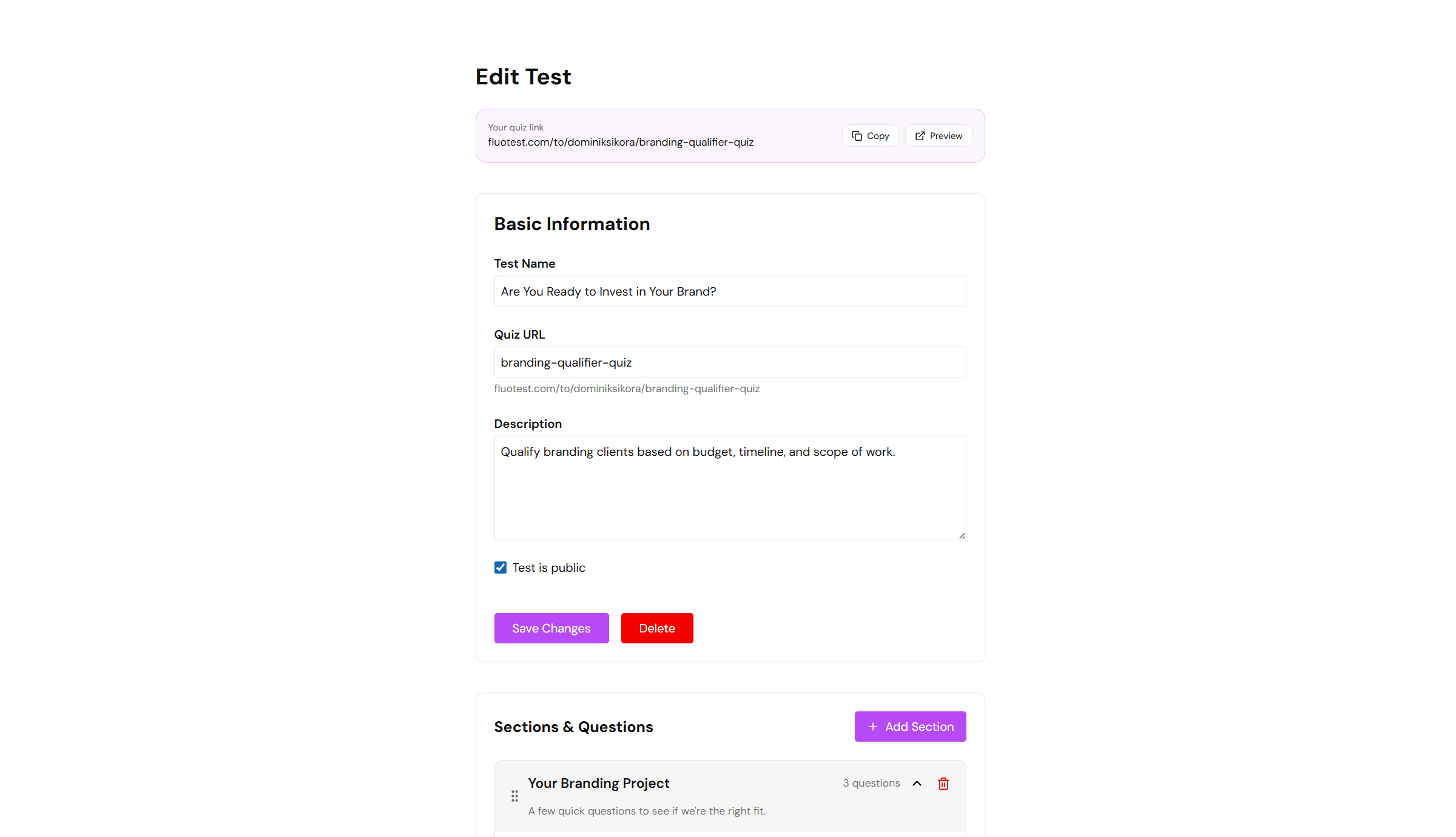
FluoTest is purpose-built for this workflow. SurveyMonkey would require manual review of every response to do the same thing.
Who Should Use SurveyMonkey?
- -Market researchers who need advanced statistical analysis
- -HR teams running employee satisfaction and NPS surveys
- -Academic researchers collecting structured data
- -Large companies with existing SurveyMonkey enterprise licenses
Who Should Use FluoTest?
- -Coaches and consultants qualifying leads before calls
- -Freelancers filtering budget and project fit automatically
- -Agencies running quiz funnels with score-based routing
- -Anyone who needs score-based results without paying $468+/year
- -Small businesses that can't afford SurveyMonkey's paid tiers
Verdict
SurveyMonkey is a solid choice for research and data collection at scale. If you need employee surveys, NPS tracking, or academic research tools, it does that well.
FluoTest does one thing SurveyMonkey doesn't: automatically score leads and route them based on that score. It's free, requires no setup beyond your questions, and sends you a notification on every submission. If lead qualification is your goal, FluoTest is the better fit.
How to Migrate from SurveyMonkey to FluoTest
Switching takes 15–30 minutes. Here's how:
- 1.Export or copy your SurveyMonkey questions
- 2.Sign up for FluoTest — free, no credit card
- 3.Create a new quiz and add your questions
- 4.Assign point values to each answer option
- 5.Set up score tiers: what happens at 0–40%, 40–70%, 70–100%
- 6.Test your quiz with a sample submission
- 7.Update your website and ads with the new FluoTest link
- 8.Cancel your SurveyMonkey subscription
Annual savings: up to $468–$900/year.
Start Migration — Free →Frequently Asked Questions
Is FluoTest really free forever?
Yes. FluoTest is free with no trial period, no credit card required, and no response limits. All features are included at no cost.
How is FluoTest different from SurveyMonkey?
SurveyMonkey is a general-purpose survey tool designed for research, NPS, and employee feedback. It costs $468–$900/year for advanced features and limits free accounts to 25 responses per survey. FluoTest is built specifically for lead qualification: you assign scores, set result tiers, and route leads automatically.
Can I migrate from SurveyMonkey to FluoTest?
Yes. Copy your questions into FluoTest, assign point values, set score tiers, and update your links. The migration takes 15–30 minutes. You can cancel your SurveyMonkey subscription and save up to $900/year.
Does FluoTest have SurveyMonkey's analytics features?
FluoTest has a built-in analytics dashboard showing submission trends, score distributions, and completion rates. It doesn't have SurveyMonkey's cross-tab analysis or statistical tools. If you need advanced research analytics, SurveyMonkey is the better choice.
Who should use FluoTest vs SurveyMonkey?
Use SurveyMonkey if you need market research, NPS surveys, employee feedback, or academic data collection. Use FluoTest if you need to qualify leads automatically before discovery calls, route people based on their score, and collect contact info from qualified prospects.
SurveyMonkey costs $468–$900/year for advanced quiz features.
FluoTest gives you score-based lead qualification for free.
Try FluoTest now — no credit card required:
- — Create your first quiz in under 5 minutes
- — Assign point values and define score tiers
- — Get email notifications on every submission
- — Send high scorers to your calendar, low scorers to content
Questions? Read our pricing page or browse quiz templates.