Guide
How to Build a Diagnostic Quiz: Step-by-Step Guide
A diagnostic quiz asks your potential client a series of questions, scores their answers, and shows them a result based on their score. Done well, it qualifies leads, starts a conversation, and saves you from discovery calls with the wrong people. Here is how to build one from scratch.
What is a Diagnostic Quiz?
A diagnostic quiz is a scored assessment where each answer contributes points toward a final result. Instead of a pass/fail format, it places the respondent in a score range (e.g., 0–30, 31–60, 61–100) and shows them a tailored outcome, recommendation, or next step.
In a business context, a diagnostic quiz is used to qualify leads before a sales call, segment prospects by readiness, or give potential clients a useful starting-point assessment.
Why Use FluoTest to Build It?
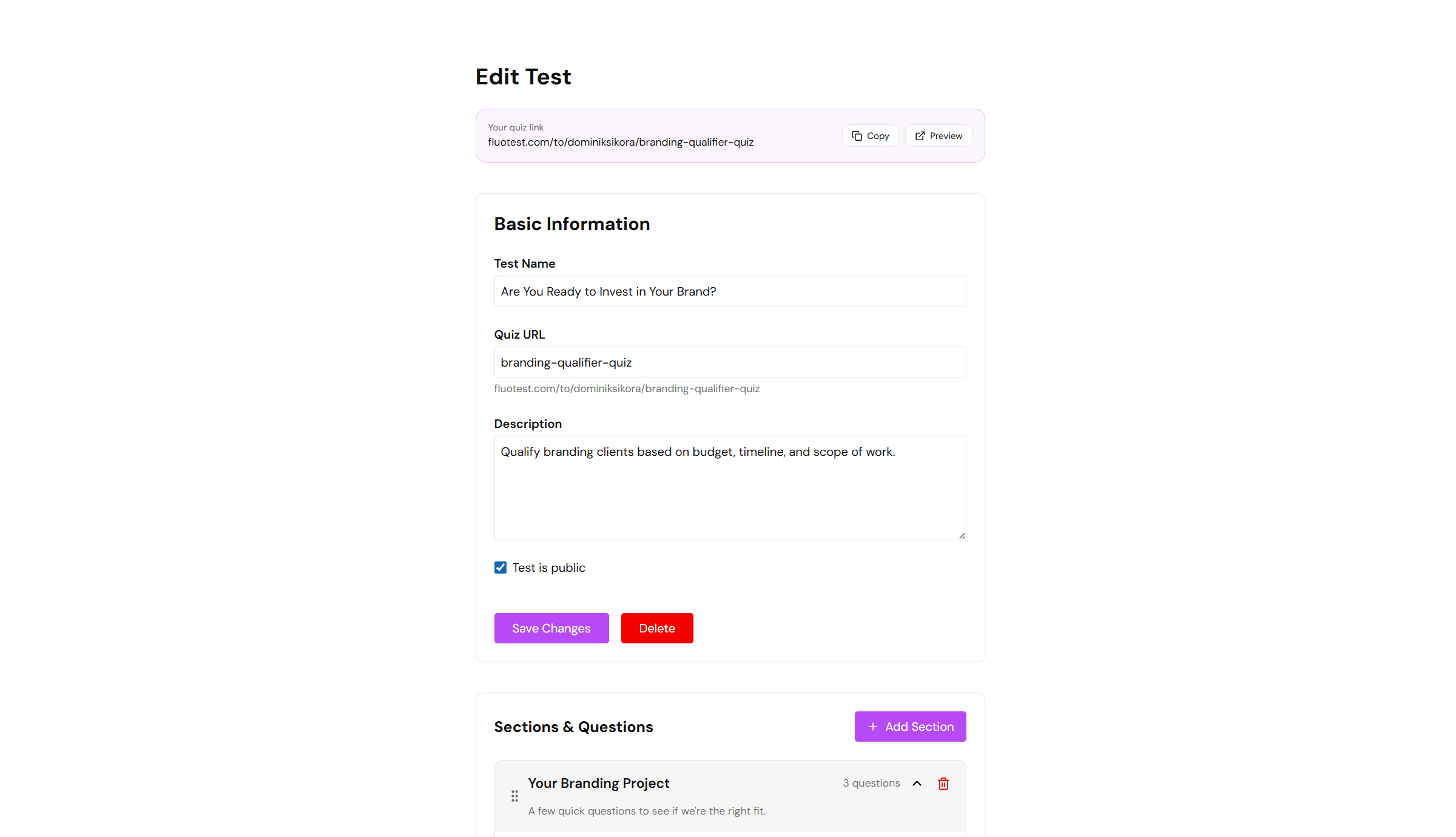
FluoTest is a free quiz builder built specifically for scored lead qualification. You assign point values to each answer, define score tiers, and set a different action per tier: collect email, book a calendar call, or redirect to a URL.
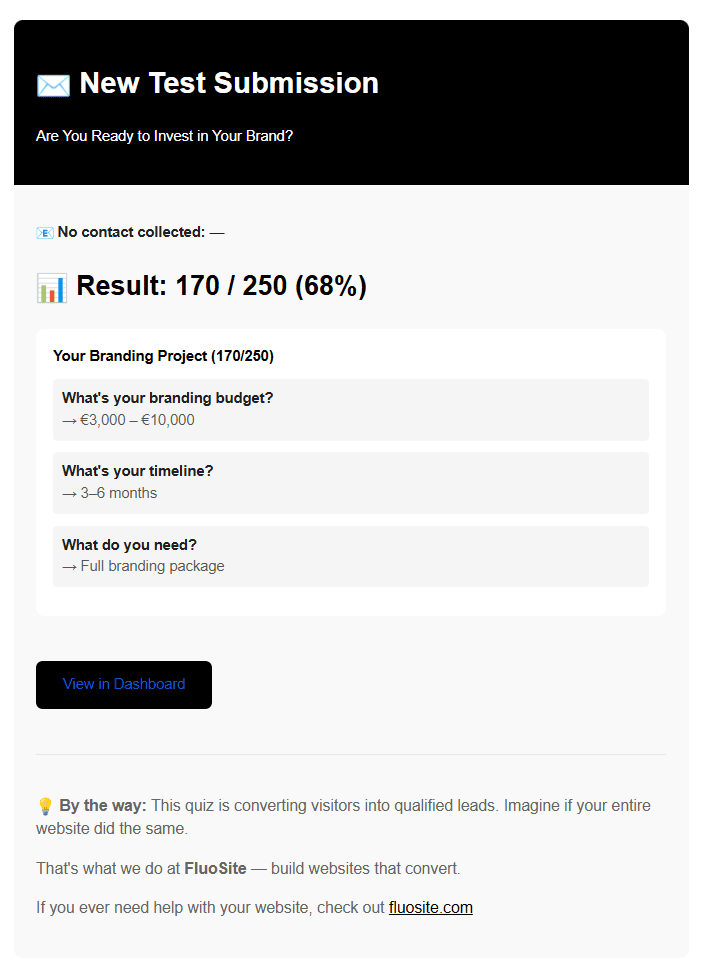
Every submission triggers an email notification with the respondent's score and full answer breakdown. No subscription required.
Try it: fluotest.com
How to Build a Diagnostic Quiz in 6 Steps
1. Define your outcome categories
Before writing questions, decide what your score ranges mean. A simple three-tier structure works well: Low (not ready), Medium (some potential), High (ideal client). Write a one-sentence description of each tier. These become your result pages.
2. Write scored questions
Write 5–10 multiple choice questions where each answer option has a different point value. Good diagnostic questions probe for the conditions that predict success or fit. Avoid opinion questions — ask about facts, behaviors, or current situation.
3. Assign point values
In FluoTest, each answer option gets a point value (0–10 or custom). Answers that indicate a strong fit score higher. Answers that indicate low fit score lower. Keep point ranges consistent across questions so no single question dominates the total.
4. Set score thresholds and actions
Define the score ranges for each tier. Then assign an action per tier: Low tier → redirect to a blog post or resources page. Mid tier → collect their email and follow up. High tier → show your calendar booking link. FluoTest handles this natively.
5. Write result copy
For each tier, write a short result message: what their score means, what their situation is, and what the logical next step is. Be direct. A high-scoring lead should feel understood. A low-scoring lead should feel helped, not rejected.
6. Publish and drive traffic
Embed the quiz on your website or share it via a direct link. Run ads to it, add it to your email signature, or link to it from your service pages. Every submission lands in your inbox with the full score and answer breakdown.
Why Diagnostic Quizzes Work for Lead Qualification
- -They filter out poor-fit prospects before they reach your calendar
- -They create a personalized experience that builds trust before the first call
- -High-scoring leads arrive at discovery calls already primed and informed
- -They give you data on what your prospects look like before the conversation starts
- -They work 24/7 without any manual effort after setup
Who Should Build a Diagnostic Quiz?
- -Coaches and consultants who want to qualify leads before 1:1 calls
- -Agencies that need to filter prospects by budget, goals, or readiness
- -Freelancers who get too many discovery calls with bad-fit clients
- -Service businesses running paid ads and wanting to improve lead quality
- -Anyone who wants to give prospects a useful self-assessment tool
Frequently Asked Questions
How many questions should a diagnostic quiz have?
Five to ten questions is the sweet spot. Fewer than five feels too thin to be meaningful. More than ten increases drop-off rates. Aim for questions that take 2–3 minutes to answer.
What should I do with low-scoring leads?
Redirect them to a useful resource: a blog post, a free guide, or a page that explains what they would need to do to become a good fit later. Rejection without value damages trust. A helpful redirect builds it.
Can I use a diagnostic quiz for paid ads?
Yes. Diagnostic quizzes work well as landing pages for paid traffic. Instead of sending ad clicks to a service page, send them to the quiz. You qualify leads automatically and only pay for discovery time with high-scoring prospects.
Do I need to collect email before showing results?
It depends on your strategy. Showing results first builds more trust and may increase completion rates. Collecting email before results gives you more leads but with lower intent. FluoTest lets you configure this per score tier — high-scoring leads can be asked to book a call directly.
Is FluoTest free to use for a diagnostic quiz?
Yes. FluoTest is free forever with no submission limits, no quiz limits, and no credit card required.
Ready to build your diagnostic quiz?
FluoTest is free. No credit card required. Start in 5 minutes.
What you get with FluoTest:
- - Scored quizzes with multiple-choice questions
- - Three score tiers with different actions per tier
- - Email notifications on every submission
- - Embed on your site or share via link
Questions? Read our pricing page or browse quiz templates.